Every file on your Mac, as you type.
Trawler reads every disk, network share and folder into its own index in seconds, keeps it current while you work, and finds what you're looking for by name, path, size, date or contents before you finish typing.
macOS 14 Sonoma or later · Apple silicon and Intel · Every feature works during the trial
Measured on an Apple silicon Mac mini. Your numbers depend on your disks.
Built for finding, not browsing.
A plain, fast window that does one thing well, with the power tools you reach for every day.
Its own index
Doesn't rely on Spotlight. Hidden files, system folders, app bundles and developer folders are all searchable.
A real search language
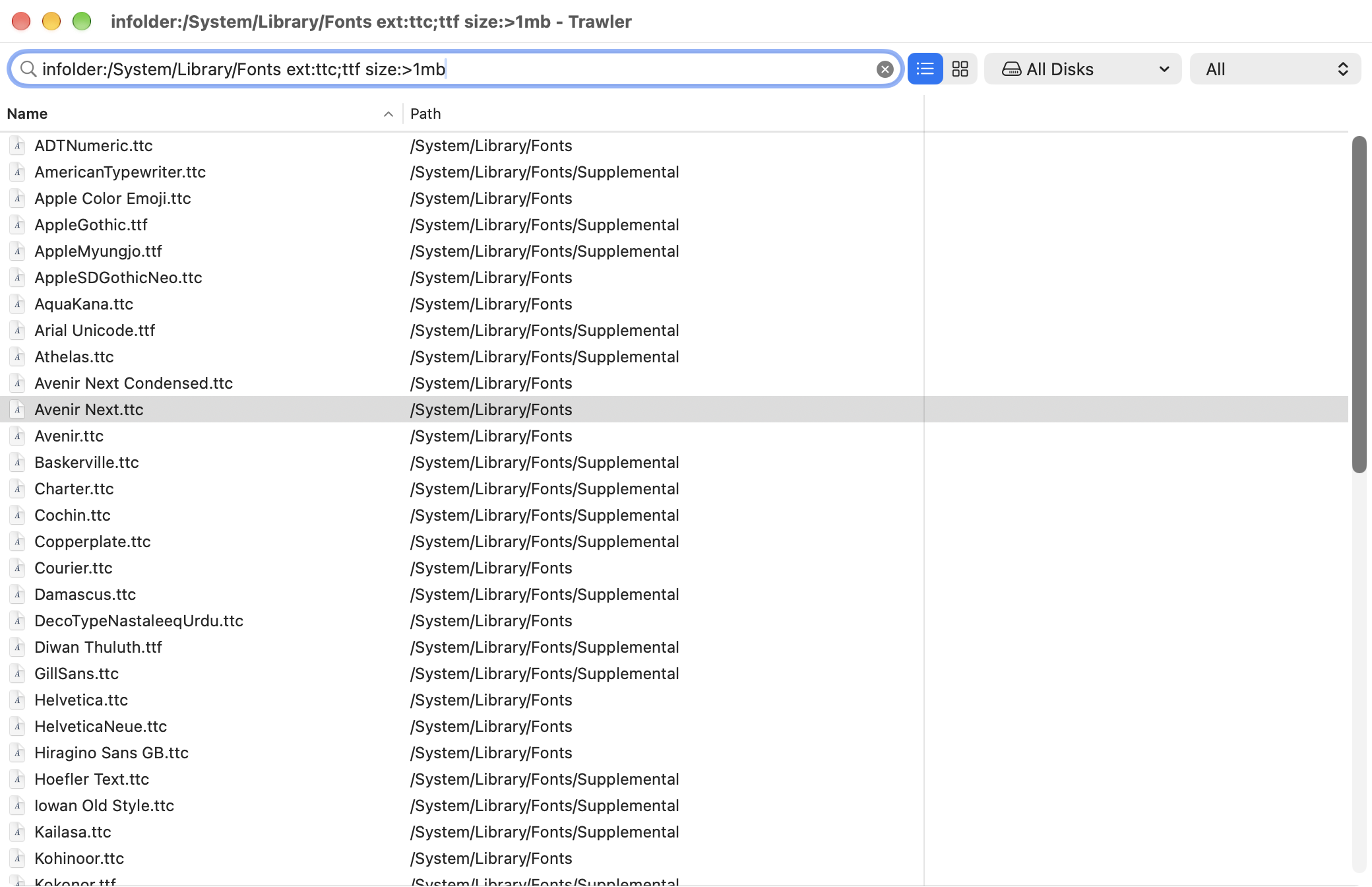
Combine words, wildcards, size, dates, folders, types, regular expressions and file contents in one line.
Every drive and share
External drives and SMB, NFS and AFP shares are indexed too. Unplugged drives keep their index and come back when reconnected.
Thumbnails and Quick Look
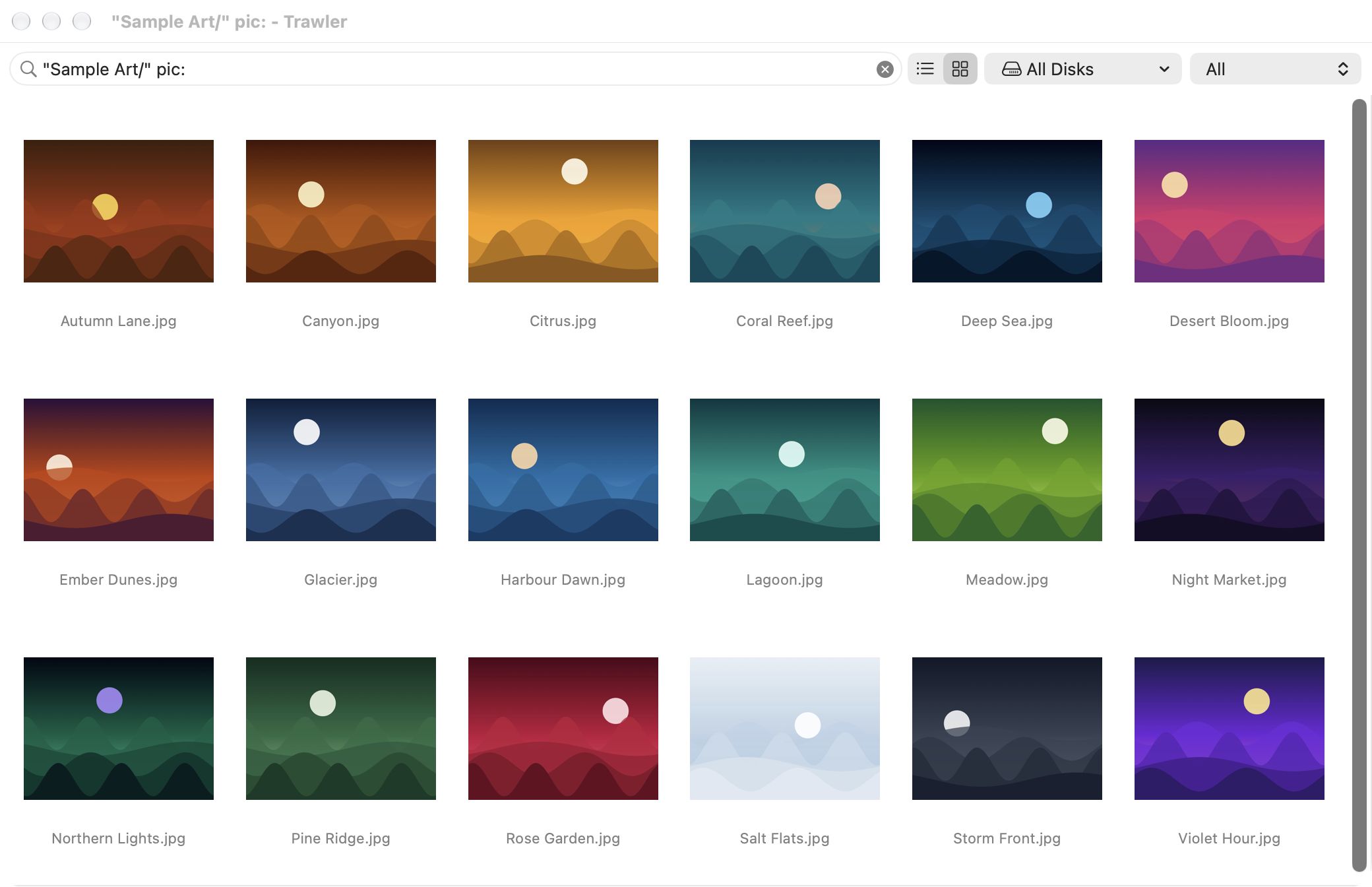
Switch to a thumbnail gallery, open a preview pane beside the results, or press Space for Quick Look.
Batch rename
Rename many files at once with find and replace, regex, prefixes, numbering and case, with a live preview and full undo.
Find duplicates
Spot copies by name, by size, or both, and clear out the space they take.
Keyboard first
A global hotkey brings Trawler up from any app. Arrow into results, Return to open, ⌘⌫ to trash, ⌘Z to undo.
Bookmarks and tabs
Save a search with its filter and sort order, open it with ⌥⌘1–9, and keep several searches open in tabs.
Index journal
See every file added, removed or changed since launch, so you can find what that installer just did.
See it before you open it.
Switch any search to a gallery with ⌘2. Pictures, videos, PDFs and documents show as thumbnails you can resize, and Space opens Quick Look. Perfect for finding that one photo when you only remember what it looked like.
Say exactly what you mean.
Plain words work. When you need more, mix in any of these. Results update with every keystroke.
report pdfNames containing both wordsjpg|pngEither one!draftLeave matches outIMG_????.heicWildcards over the whole nameext:pdf;docxBy extensionsize:>1gbBy size, or size:hugedm:last7daysModified this week, or dm:2025-03infolder:~/DocumentsAnywhere inside a folderpic: video:By typeregex:^IMG_\d+Regular expressionscontent:"api key"Text inside filesempty:Empty foldersLove Everything on Windows? Meet Trawler on Mac.
If you've used Everything by voidtools, you already know how to use Trawler. The same instant search, the same syntax, the same shortcuts and filters, built natively for macOS.
! | wildcards, ext: size: dm: regex: content:
The same, with Mac paths like infolder:~/Documents
pic: audio: macros
Everything is a trademark of voidtools. Trawler is an independent Mac app and isn't affiliated with or endorsed by voidtools.
Your files stay on your Mac.
Trawler's index lives on your Mac and is never uploaded. It doesn't track you, show ads or sell anything about you.
- No file names leave your Mac. Searching, indexing and previews all happen locally.
- Crash reports are off unless you turn them on, and even then file names, paths and your IP address are removed.
- Licence checks send an anonymous Mac ID, a one-way hash. Never your serial number, and nothing about your files.
- The web server is off by default and, when on, only answers on your local network.
The details are in the privacy policy.
Try it free. Buy it once.
Every feature works for 14 days. If Trawler earns its place, a licence keeps it.
$— one-time
- All features, no subscription
- Activate on your Macs with one licence key
- Automatic updates from inside the app
- Works offline, checking in once in a while
Payments are handled securely by Polar. Your licence key arrives by email straight away.
Prefer the App Store? Get Trawler Lite.
Trawler Lite is a sandboxed edition for the Mac App Store. It searches the folders and drives you choose, with the same instant search, syntax and thumbnails, and Apple handles the purchase and updates.
Mac App Store: coming soonQuestions
How is this different from Spotlight?
Spotlight is built to search what's inside your documents, and it skips hidden files, system folders, app bundles and many developer folders. Trawler indexes every file and folder name on every disk, so it finds what Spotlight leaves out, and it answers instantly with results you can sort, filter and act on.
Why does it ask for Full Disk Access?
macOS hides Mail, Messages, Safari data and other apps' folders until you allow it. Trawler works without it, but those folders won't appear in results. Full Disk Access only lets Trawler read file names on your Mac; nothing is sent anywhere.
How much memory and disk does the index use?
Roughly 300 bytes per file: about 250 MB of memory for 800,000 files. The saved index on disk is smaller.
What happens when the trial ends?
Trawler asks for a licence key. Your settings and index are kept, so everything carries on the moment you activate.
Do I need to be online?
Searching never needs the internet. Once activated, Trawler checks your licence about once a week and keeps working for 30 days without a connection. During the trial it needs to connect every few days.
I got a new Mac. Can I move my licence?
Yes. Choose Trawler › Licence › Deactivate on This Mac on the old one, then enter your key on the new one.
Trawler or Trawler Lite: which should I get?
Get Trawler if you want to search everything on your Mac, including other apps' data with Full Disk Access. App Store apps must run in a sandbox that only sees folders you choose, so Trawler Lite searches those. Trawler is signed with an Apple Developer ID and notarized by Apple, so macOS checks it before it opens, just like an App Store app.
Can I get a refund?
Get in touch and we'll sort it out.